Google Chrome - Allow Pop Ups
Step 1. Click the Customize and Control button on the browser toolbar.
Step 2. Select Settings.
Step 3. From the left, click on "Privacy and Security."
Step 4. Under "Privacy and Security," click on "Site Settings."
Step 5. Click on "Pop-ups and redirects."
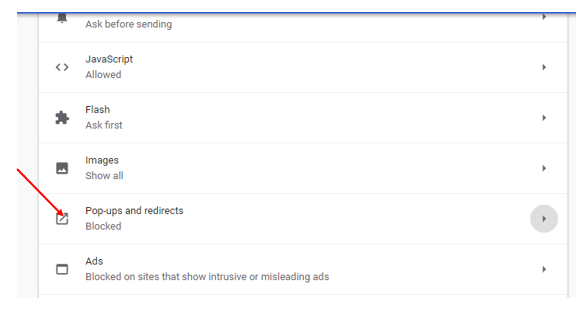
Step 6. In the "Pop-ups and redirects" section, turn the setting to Allowed or Blocked(Recommended). Customize permissions for specific websites by clicking Add under both the Block and Allow sections.